Instead of manually searching for calming tracks before every session, build a Reiki session Spotify playlist with a fixed order, tested transitions, and a clear stopping point. This 2026 workflow covers personal listening at home, including music you play privately during a distance session—not Spotify playback for a professional practice.
- Build your Reiki session Spotify playlist for personal listening, with predictable transitions and a deliberate ending.
- Spotify permits personal, noncommercial use; do not treat a subscription as permission for professional session playback.
- Jahben offers Reiki sessions for spiritually curious adults; music remains optional, not a measure of effectiveness.
- Test the playback device, track order, and ending before you settle into your session.
Why this matters
A playlist should remove decisions, not create more of them. Searching for another track, correcting an unexpected song, or reaching for your phone interrupts the quiet space you intended to create.
Jahben is best for spiritually curious adults seeking personal Reiki guidance, not a music-streaming integration. For the session itself, start with how to prepare for your first Reiki session, then fit the audio around the arrangements you agree with your practitioner.
Keep the boundary clear: Spotify supplies recorded audio. It does not deliver Reiki, verify a practitioner's work, or establish a health benefit from a track's title or claimed frequency. Reiki is a complementary spiritual practice, not a replacement for medical or mental-health care.
Before you start
- Prepare your listening setup. Have access to Spotify, a charged playback device, and a speaker or headphones you have already tested. Confirm that your account supports the playback control you need; account and device restrictions affect the experience.
- Agree on the session arrangements. Know when the session starts, whether you need to hear spoken guidance, and how you will recognize the ending. Ask whether your practitioner prefers music or silence rather than assuming either is required.
- Check the licensing boundary first. Spotify's service is for personal, noncommercial use. A subscription does not authorize background playback in a professional Reiki practice or retransmission through a client call; use an appropriately licensed source for that setting.
For this 2026 setup, use the Spotify app on the device you intend to listen through. Labels and placement vary between desktop and mobile versions, so follow the named control rather than a fixed screen position.
Playlist structure
Choose the listening format
- Decide whether you want continuous instrumental music, nature recordings, or silence. Choose based on your comfort, not a claim that one format produces stronger energy work.
- Identify sounds you do not want: spoken affirmations, sudden bells, water effects, lyrics, or a strong beat. Preview unfamiliar recordings before adding them.
- Decide whether you must hear a practitioner speaking. If so, select an arrangement that leaves speech clear without requiring repeated volume changes.
- Choose a stopping method. Use an agreed verbal ending or a separate clock rather than treating the final song as proof that the session has finished.
Expected result: You know what the audio is for, what it must avoid, and how the session will end.
| Format and best for | Advantage | Limitation |
|---|---|---|
| Instrumental music: best for a steady backdrop | No lyrics to follow | Swells and percussion still need screening |
| Nature recordings: best for familiar environmental sound | An alternative to melody | Birds, storms, and water can distract |
| Silence: best for sound sensitivity | No playback management | Room noise remains noticeable |
These are listening choices, not ranked healing methods. If silence feels more comfortable, you do not need to solve that preference with a different playlist.
Build the session sequence
- Create a playlist in Spotify and give it a recognizable name, such as Personal Reiki Practice 2026. Keep a separate playlist for this purpose rather than borrowing a changing discovery mix.
- Find a suitable track, open its menu, and select Add to playlist. Choose your session playlist, then repeat with recordings you have previewed.
- Arrange the tracks into Arrival, Quiet practice, and Return. These are planning phases, not required Reiki stages or Spotify features.
- Review the total running time against your intended listening period. Adjust the selection before the session instead of skipping through songs once you begin.
Expected result: Your playlist has a deliberate beginning, middle, and ending, with no unfamiliar recording left to surprise you.
For a personal practice, try this optional 30-minute listening plan: allow 5 minutes for arrival, 20 minutes for quiet practice, and 5 minutes to return your attention to the room. These are suggested planning intervals, not a standard session length or a promise of results.
Choose the actual music around those phases; do not force a track change at every boundary. A sustained piece can cross from arrival into quiet practice without a problem.
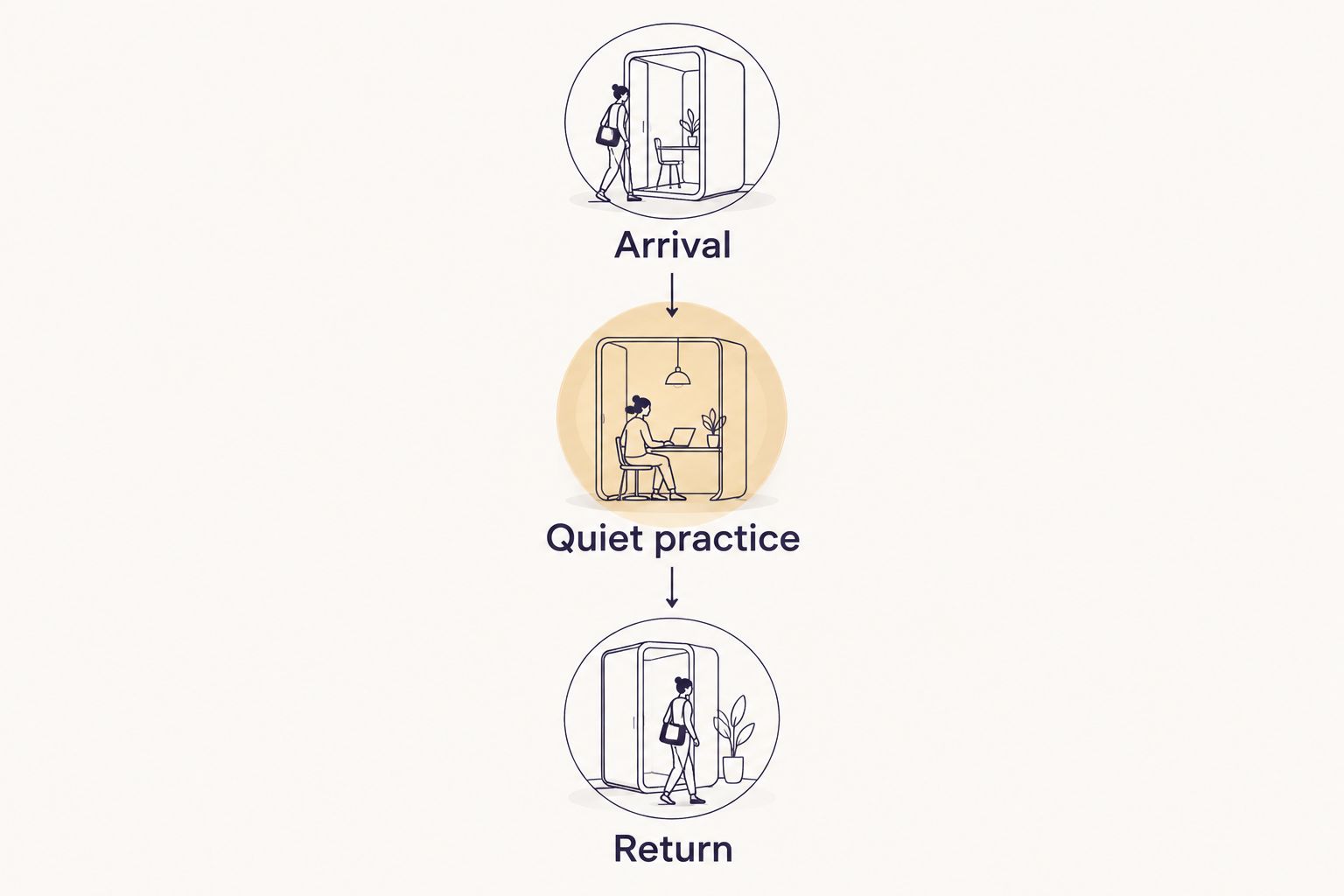
The return phase should make it easy to stop listening and reorient. Avoid an ending that suddenly becomes louder or introduces speech unless you deliberately want that cue.
Playback configuration
Set track order and transitions
- Open the playlist and check Shuffle. Turn it off where your account supports ordered playback; also disable Smart Shuffle if it is introducing recommendations.
- Check Repeat and leave it off for a finite session. Repeating the entire playlist defeats a planned ending, while repeating one track prevents the sequence from progressing.
- Open Settings and locate Autoplay. Disable continuation with similar music so the planned selection does not intentionally lead into recommendations.
- Find Crossfade in the playback settings available on your device. Start with it off, listen to the joins, and add overlap only if it makes those particular transitions less noticeable.
Expected result: The selected tracks play in the intended order, and the playlist has a deliberate endpoint.
Do not assume every silence between tracks is a fault. A quiet gap can be preferable to overlapping a closing bell with the next recording's opening sound.
For your 2026 listening routine, test the settings on the actual playback device. A successful desktop preview is not a check of the speaker, connection, or controls you will use from your phone.
Test the room and ending
- Select the intended output device and press Play. Listen from where you will sit or lie down, not only from beside the speaker.
- Set a comfortable level that still lets you hear necessary instructions. Do not raise the volume to cover every environmental sound.
- Enable your device's notification-silencing mode, checking which calls or alerts remain permitted. Plug in the device if its battery will not comfortably cover the session.
- Clear unrelated queued tracks and audition the end of the playlist. Confirm what happens after the final recording rather than assuming that turning off Autoplay clears an existing queue.
Expected result: You hear the intended audio through the intended device, without an untested ending or unwanted queued song.
Keep the screen within reach if you need accessibility controls, but avoid holding it throughout the session. The useful outcome is fewer playback decisions, not perfect technical isolation.
Use the playlist during a distance Reiki session
For a distance session, play Spotify locally for your own personal listening rather than broadcasting the recording through the call. Music does not need to reach the practitioner for you to listen to it.
Read how distance Reiki healing works to separate the spiritual session format from the practical audio setup. Jahben offers Reiki sessions; this playlist workflow is preparation advice, not a claim that Jahben connects directly to Spotify.
- Confirm the start time and communication method with your practitioner. Ask whether there will be spoken guidance during the quiet portion.
- Test whether the call and music can coexist on your devices without one becoming inaudible. If the combination is distracting, choose silence instead of troubleshooting during the session.
- Agree on a clear end signal that does not depend on matching track positions. Different playback conditions make song timing an unreliable shared clock.
- Keep the practitioner audible whenever conversation is necessary. Pause the music if it competes with instructions or your ability to respond.
Expected result: Your private background audio supports your comfort without becoming a technical requirement for the distance session.
For professional delivery in 2026, keep music licensing separate from session scheduling. Neither a video-call platform nor a streaming subscription automatically grants permission to transmit commercial recordings to clients.
Refresh the playlist after your preferences change
A second useful workflow is a post-session playlist review. It is manual, not an automatic Spotify-to-Reiki connection, and it prevents a single uncomfortable recording from staying in every future session.
- Note the track and the specific issue after listening. Useful notes include distracting vocals, a sharp ending, a startling bell, or an abrupt change in loudness.
- Remove or reposition the recording. Replace it only after previewing the replacement in context with the neighboring tracks.
- Recheck the playlist's total duration and final track. Removing a long recording changes the ending even when the remaining order stays intact.
- Test the revised sequence before your next session. Keep brief listening notes outside Spotify if you want to remember why you made each change.
Expected result: The playlist reflects your actual preferences instead of an accumulating collection of vaguely relaxing tracks.
Keep a stable session playlist separate from your discovery listening. Experiment when you are free to stop, compare, and adjust—not when you have already settled into a session.
Troubleshooting
The next song is not in your playlist
Check Shuffle, Smart Shuffle, Autoplay, and the playback queue. Recommendations and previously queued recordings are different sources of unexpected audio, so inspect both rather than changing only one setting.
If your account does not provide the ordered playback you need, use another permitted listening arrangement. Do not build a tightly timed session around controls you cannot use.
A transition is louder or sharper than expected
Replay the end of the first track and the beginning of the next. Remove the recording that causes the jump, or change the order; crossfade is not a reliable fix for every bell, spoken introduction, or loud opening.
Test at the listening position again. A transition that seems harmless beside your phone can feel intrusive through a speaker near your head.
Music stops when the call starts
Check the selected audio output and whether the call has taken priority over media playback. Test the arrangement before the appointment, using a separate personal playback device if that resolves the conflict.
Silence is also a complete fix. You do not need background music to proceed with an agreed Reiki session.
Ads or connection problems interrupt listening
Check your account's playback conditions before planning an uninterrupted sequence. Where your account supports downloads, prepare the playlist in advance and test playback under the conditions you expect to use.
Do not try to time practice phases around interruptions. Choose silence or another lawfully usable audio source when Spotify cannot provide the listening experience you need.
A recording makes you uncomfortable
Stop it or lower the volume immediately. You do not need to tolerate a sound because its title describes healing, chakras, or a particular frequency.
If you experience concerning physical or psychological symptoms, stop the session and seek appropriate care. Do not interpret symptoms as proof that Reiki or a recording is working.
Customize your workflow
Once the basic sequence works, change one element at a time: the sound type, track order, or listening level. That makes your own preferences easier to identify without turning every session into an audio experiment.
Keep these boundaries in your 2026 routine:
- Ask before sharing audio. A personal preference is not consent for someone else to hear the same recording.
- Keep claims separate from comfort. Enjoying a track does not verify a medical effect or a spiritual promise.
- Let silence remain available. The simplest setup is often the one with nothing to manage.
Jahben Reiki sessions and a Spotify playlist serve different purposes: one is a personal spiritual service, and the other is a listening tool. Judge the audio by whether it leaves you comfortable and able to participate—not by whether it produces a particular sensation.
FAQ
What's the best Reiki session Spotify playlist?
The best personal Reiki session Spotify playlist is one you have previewed, with comfortable sound, predictable transitions, and a clear ending. A healing-themed title does not establish that a recording is suitable for you.
Can I use Spotify music in my professional Reiki practice?
Spotify's service is for personal, noncommercial use, not professional background playback. Use a source with terms and music permissions appropriate to your practice rather than assuming a subscription covers client sessions.
How long should my Reiki playlist be?
Match the playlist to the listening period you have planned or agreed with your practitioner. A suggested personal example is 30 minutes, divided into 5 minutes of arrival, 20 minutes of quiet practice, and 5 minutes of return; this is not a Reiki standard.
Do I need special frequencies for Reiki music?
No particular recording frequency is required for this listening workflow. Choose music for comfort and predictability, and do not treat frequency labels as evidence of a medical benefit.
Should I use headphones or a speaker during distance Reiki?
Choose the setup that feels comfortable and lets you hear any necessary spoken guidance. Test the arrangement before the session, and choose silence if managing call audio and music becomes distracting.
Can Spotify automatically start when my Reiki session begins?
This workflow uses manual playback and does not require an automatic session trigger. Test any separate device automation before relying on it, and keep an accessible way to pause the music.
Does Jahben require Spotify for Reiki sessions?
This guide does not establish Spotify as a requirement for Jahben Reiki sessions. Confirm session arrangements directly, including whether music is welcome and how you will hear instructions.
Is silence better than music during Reiki?
Silence is better when music distracts you or makes communication difficult. Music is an optional listening preference, not a requirement or a measure of whether the session is effective.
One last thing
Test the ending before you test the beginning. Start near the final track's closing passage and let playback finish. An unexpected queued song, repeated playlist, or continuation is easiest to catch there—and easiest to fix before you settle in.
Related guides
Ready for your own reading?
Astrology, numerology, and tarot brought together into one clear, written answer about your love, career, or timing.
Book a Personal Reading Get Your Free Report