Instead of manually recalculating your numerology before every decision, build a personal year number calendar in Google Calendar: calculate your 2026 number once, add monthly planning prompts, and review them alongside your real commitments. Jahben is best for people who want personal numerology guidance; Google Calendar is where you turn that guidance into a planning habit.
- A personal year number calendar puts your 2026 numerology theme beside your actual plans in Google Calendar.
- Calculate your personal year, then add monthly prompts that you can review and revise.
- Jahben offers personal numerology guidance; the calendar remains your tool for making decisions, not predicting outcomes.
Why this matters
A personal year number describes a theme used in numerology. It does not reserve time, remind you about a decision, or account for a deadline. A calendar does those jobs. Putting the theme beside your appointments gives you a place to ask a useful question: does this plan still fit what I know about my life?
Use the number as a reflection prompt, not a rule for choosing dates. A career conversation still depends on the people involved. A move still depends on practical requirements. Your 2026 calendar should hold those facts first, with numerology prompts available when you review them.
Jahben combines Pythagorean numerology with other forms of personal guidance. That makes Jahben useful when you want to discuss a pattern in the context of love, career, or timing. The limitation is equally clear: a reading cannot maintain your Google Calendar or make a decision for you.
Before you start
- Have your birth month and day, your Google account, and access to Google Calendar on a desktop browser. You do not need your birth year for the personal year calculation used here.
- Choose one question you want your calendar to help you revisit in 2026, such as whether to begin a project or reassess a relationship. Write the question in plain language so a future reminder makes sense.
- Settle the timing convention before creating events. This guide treats January 1 through December 31, 2026, as one personal year. Some readers prefer a birthday-to-birthday cycle; mixing the two conventions will make your monthly labels inconsistent.
If you do not yet have a number, follow the 2026 personal year calculation before adding any events. Keep the calculation in a note you can check later. A copied result without the birth-date arithmetic is harder to correct if you mistype a digit.
Calculate your 2026 personal year
For this workflow, add your birth month, your birth day, and the digits in 2026. Reduce the total by adding its digits until you reach a single digit from 1 to 9. The year digits add to 10, which reduces to 1.
- Write your birth month as its calendar number. June is 6.
- Add the digits of your birth day. For the 14th, calculate 1 + 4 = 5.
- Add the 2026 year digits: 2 + 0 + 2 + 6 = 10, then 1 + 0 = 1.
- Add those results. A June 14 birthday gives 6 + 5 + 1 = 12, then 1 + 2 = 3.
Expected result: the June 14 example has a personal year of 3 for the January-to-December 2026 convention. Your result depends on your own birth month and day. Save the working alongside the final number; the working is what lets you verify it.
This method reduces intermediate sums to a single digit. If you use a numerology approach that preserves master numbers, decide how you will interpret those numbers before building monthly prompts. Do not switch calculation methods halfway through the year because a different label sounds more appealing.
Create a separate Google Calendar
A separate calendar keeps reflection prompts visible without making them look like work meetings. It also lets you hide the prompts when you need an uncluttered schedule. Google Calendar manages the reminders; it does not calculate your personal year or interpret it.
- Open Google Calendar in a desktop browser and select Settings from the gear icon.
- In the left settings menu, open Add calendar, then Create new calendar.
- Enter a name such as Personal year 2026. In Description, record your number, birth-date calculation, and January-to-December convention.
- Select Create calendar. Return to the calendar view and check that the new calendar appears under My calendars.
Expected result: you have a calendar dedicated to 2026 reflection. If you later change how you calculate your personal year, its description shows which method produced the existing events.
Keep the calendar private if its event descriptions contain personal questions. A separate calendar is useful for organization, but its name alone does not tell you who can see it. Check the calendar’s sharing settings before adding sensitive relationship, health, or career notes.
Add monthly prompts
A personal month is commonly calculated by adding the personal year number to the calendar month number and reducing the result to a single digit. For the June 14 example, January is 3 + 1 = 4; June is 3 + 6 = 9; July is 3 + 7 = 10, or 1. For a closer look at that calculation, use the personal month number planning guide.
Give each month a prompt, not a promise. These are planning themes, not claims that a particular event will occur.
| Personal month | Reflection prompt | Useful calendar action |
|---|---|---|
| 1 | What needs a beginning? | Draft the first practical step. |
| 2 | Where do I need cooperation? | Schedule a conversation. |
| 3 | What needs expression? | Make space to write or speak. |
| 4 | What needs structure? | Review a routine or deadline. |
| 5 | What needs flexibility? | Identify a plan you can revise. |
| 6 | What needs care or responsibility? | Check existing commitments. |
| 7 | What needs reflection? | Protect time to think. |
| 8 | What needs accountability? | Review resources and obligations. |
| 9 | What needs completion? | Close or reassess unfinished work. |
- In your new calendar, select a day near the start of January 2026 and choose Create, then Event.
- Title the event Personal month 4: review structure if you are following the June 14 example. Use your own calculated month number otherwise.
- Choose All day if the event is a prompt rather than an appointment. In the event details, select your Personal year 2026 calendar instead of your default calendar.
- In the description, add your question, the arithmetic for that month, and one action you can take. Select Save.
- Repeat for the remaining months of 2026, recalculating each month number. Do not set one numbered event to repeat monthly: the number changes while the repeated title does not.
Expected result: each month has its own correctly labeled prompt on the separate calendar. For the June 14 example, the sequence runs from personal month 4 in January to personal month 6 in December. You can scan the calendar without treating every month as an appointment you must attend.
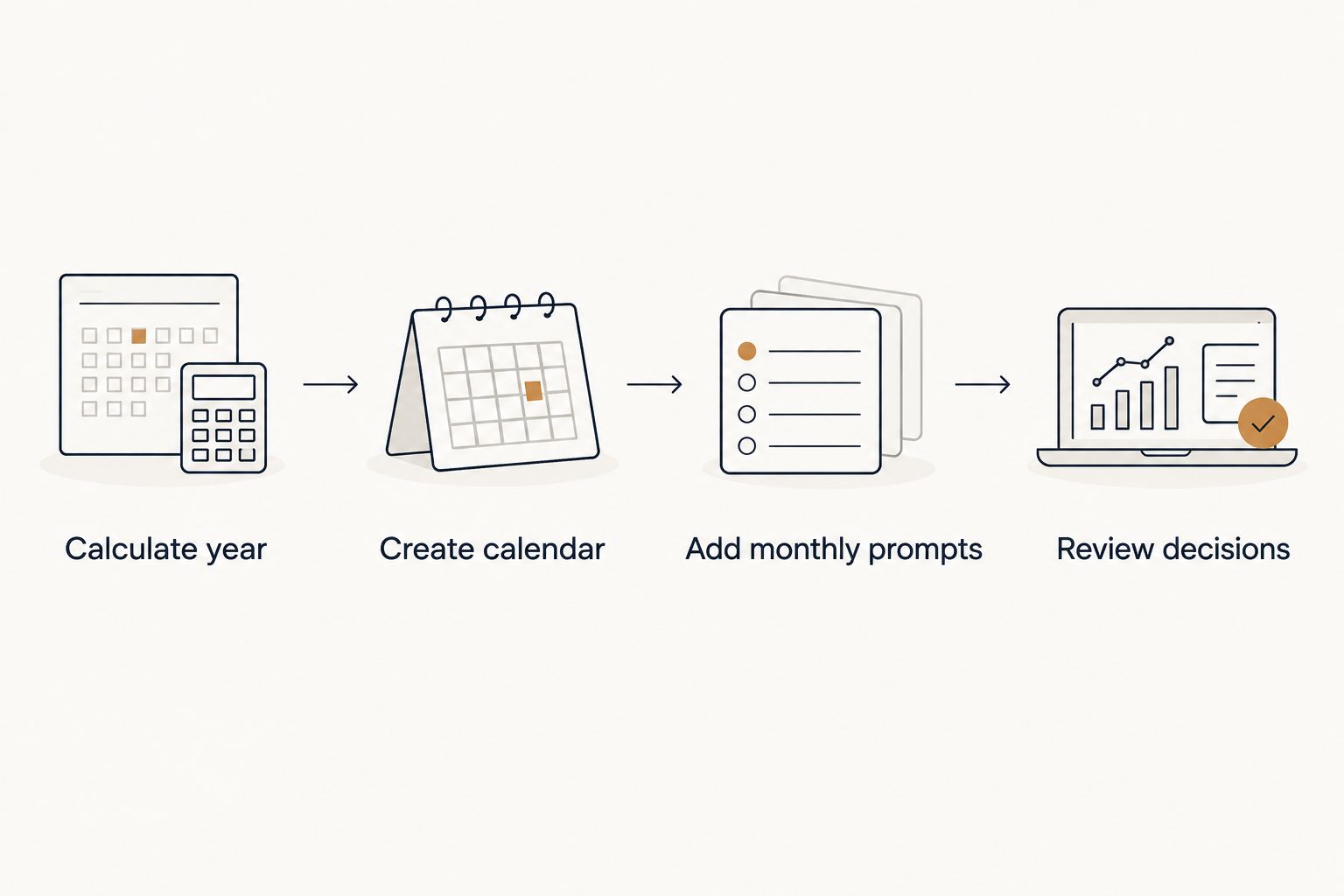
The sequence matters. Calculate first, create a place for the prompts, then write them month by month. A calendar filled with generic numerology labels is less useful than one that preserves your question and a specific next action.
Set a decision review
Monthly themes are easier to use when you connect them to a decision you actually face. Keep this review separate from the all-day prompt: the prompt identifies a theme, while the review gives you time to examine the facts.
- Select a time you can realistically use during the month and choose Create, then Event.
- Give the event an action-based title, such as Review career decision. Select the Personal year 2026 calendar.
- In the description, list the decision, the information still missing, and the next person or document you need to consult. Add the month’s reflection question beneath those practical details.
- Select Save. After the review, edit the same event description with your decision or the next check-in date.
Expected result: your 2026 calendar shows both the numerology prompt and a real review you can act on. A reminder without a decision to examine is easy to dismiss; a review with a clear question gives the reminder a job.
For example, a personal month 7 prompt asks what needs reflection. It does not tell you to delay accepting a job. Put the offer deadline, your questions, and the conversation you need on the calendar. Then use the prompt to notice whether you have made room to think before the actual deadline.
Variant: review your question when plans change
A fixed monthly review works for recurring planning. An event tied to a change works better when your question appears suddenly: a new offer, a conversation with a partner, or a shift in your responsibilities. Both workflows can live on the same calendar, but they serve different purposes.
| Workflow | Best for | Advantage | Limitation |
|---|---|---|---|
| Monthly all-day prompt | Keeping a 2026 reflection rhythm | Easy to scan beside other plans | Too general for an immediate decision |
| Timed decision review | Working through a specific choice | Names the next action and deadline | Needs editing when the situation changes |
To use the change-based variant, create a new event when the real-world situation changes. Title it with the decision, not the number. Put the relevant personal month prompt in the description, record what changed, and choose a review time before any actual deadline. If the situation changes again, edit the event rather than letting an outdated reminder direct your next step.
Expected result: your calendar reflects current information, not just the theme you entered at the start of 2026. Jahben’s numerology guidance is best used as context for questions you can name; its limitation is that symbolic themes cannot replace the details of an offer, relationship, or commitment.
Troubleshooting
- The month number looks wrong. Check that you added the personal year to the calendar month number. Do not add your birth month again. Recalculate the example before changing the whole calendar: personal year 3 plus July’s month number 7 gives 10, then 1.
- Every event shows the same number. Open the event and check Does not repeat. A repeating event copies its title; it does not calculate a new personal month. Make separately labeled monthly events.
- The prompt landed on your main calendar. Edit the event and select Personal year 2026 in the calendar field, then Save. Check the calendar assignment before creating the remaining prompts.
- The event is missing from view. Look under My calendars and confirm that the separate calendar is selected. Also check the date you entered rather than assuming the event failed to save.
- Your interpretation changed after you made plans. Keep the original decision and its practical reasons in the event description. Edit the reflection question if it no longer helps, but do not rewrite the record to make a past choice look predetermined.
Customize your workflow
Start small. One monthly prompt and one timed review give you enough structure to test whether the calendar helps. If the prompts become noise, keep the decision reviews and remove the reminders you ignore. The point is to make 2026 planning clearer, not to create another set of obligations.
For a finer planning rhythm, calculate a personal day only when you have a question that benefits from a daily check-in. For a broader rhythm, leave the calendar at the monthly level. Neither choice requires you to assign a spiritual meaning to every meeting on your schedule.
If you want personal interpretation, bring your birth details, calculation method, and a specific question to a Jahben Email Reading. Jahben can interpret the pattern alongside your situation; Google Calendar can hold the resulting question and the action you choose. The reading has a limit: it cannot confirm an outcome or replace the information you need from the people involved.
FAQ
How do I make a personal year number calendar for 2026?
Calculate your 2026 personal year, create a separate Google Calendar, and add individually labeled monthly prompts. Add timed reviews for decisions you want to revisit.
Does Google Calendar calculate my personal year number?
No. Calculate the number yourself, then enter your result and working in the calendar description. Google Calendar stores events and reminders, not numerology calculations.
How do I calculate a personal month number?
Add your personal year number to the calendar month number and reduce the sum to a single digit. A personal year 3 gives a January personal month of 4.
Should I make the monthly event repeat?
No, not if its title contains the personal month number. A repeating Google Calendar event keeps the same title, while your calculated month number changes.
When does my 2026 personal year start in this workflow?
This workflow uses January 1, 2026, through December 31, 2026. If you use a birthday-to-birthday convention, calculate and label the calendar consistently with that method instead.
Can a personal year number choose the best date for a major decision?
No. Use the number as a reflection prompt while checking deadlines, obligations, and information from the people involved. The calendar should show those practical facts.
Is a monthly prompt or a timed decision review better?
Use a monthly prompt to keep a reflection rhythm and a timed review for a specific choice. The timed review is more useful when a decision has a real deadline.
One last thing
Put the deadline on your calendar before the numerology prompt. That order keeps your 2026 personal year number calendar grounded in what you can verify. A prompt can sharpen a question; it should not hide the date when you need to answer it.
Related guides
- Numerology for 2026: your complete personal year guide
- Personal year number 5: meaning and change cycle
- How to calculate your personal day number for guidance
Ready for your own reading?
Astrology, numerology, and tarot brought together into one clear, written answer about your love, career, or timing.
Book a Personal Reading Get Your Free Report